Apple’s HomeKit Widget for macOS is not accessible
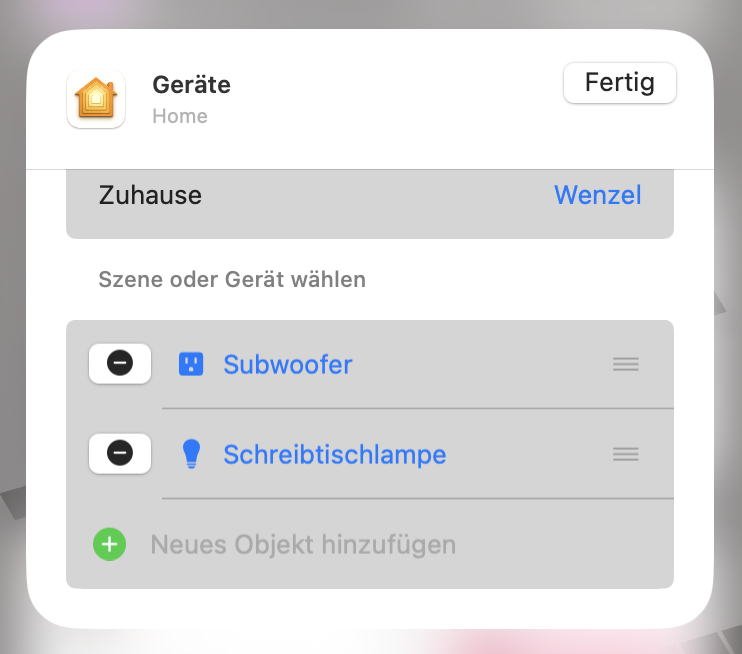
To add a device to the HomeKit widget, right click it and select “edit devices”, scroll down to the end of the list, click the invisible grey text next to the green plus, then select a device to add.
I was about to write a whole post about this, but to keep it simple: The issue is that adding devices requires reading medium grey text on a light-medium grey background. The text has a contrast of 1.58 to 1, which is a fail regardless of font-size. This is not just inaccessible, its simply bad design. A contrast of 1.58 to 1 is too low in any context, Apple uses it for buttons that look like disabled list elements. Period. And macOS is riddled with these horrid choices of invisible text that holds important information.
On that note, if you, like me, are annoyed by Apple’s recent design choices, try the Vivaldi browser. I’ve been really liking the experience.
Update: On trying the Vivaldi browser and on Safari 26’ bookmarks-UI