WhatsApp adds Meta AI, you can’t disable it, and the AI is dumb
Despite my best efforts, I can’t completely avoid WhatsApp here in Germany. Today, when I opened the app on my iPhone, I was distracted by a Floating Action Button with a circular icon on it that was overlaid over the list of chats.
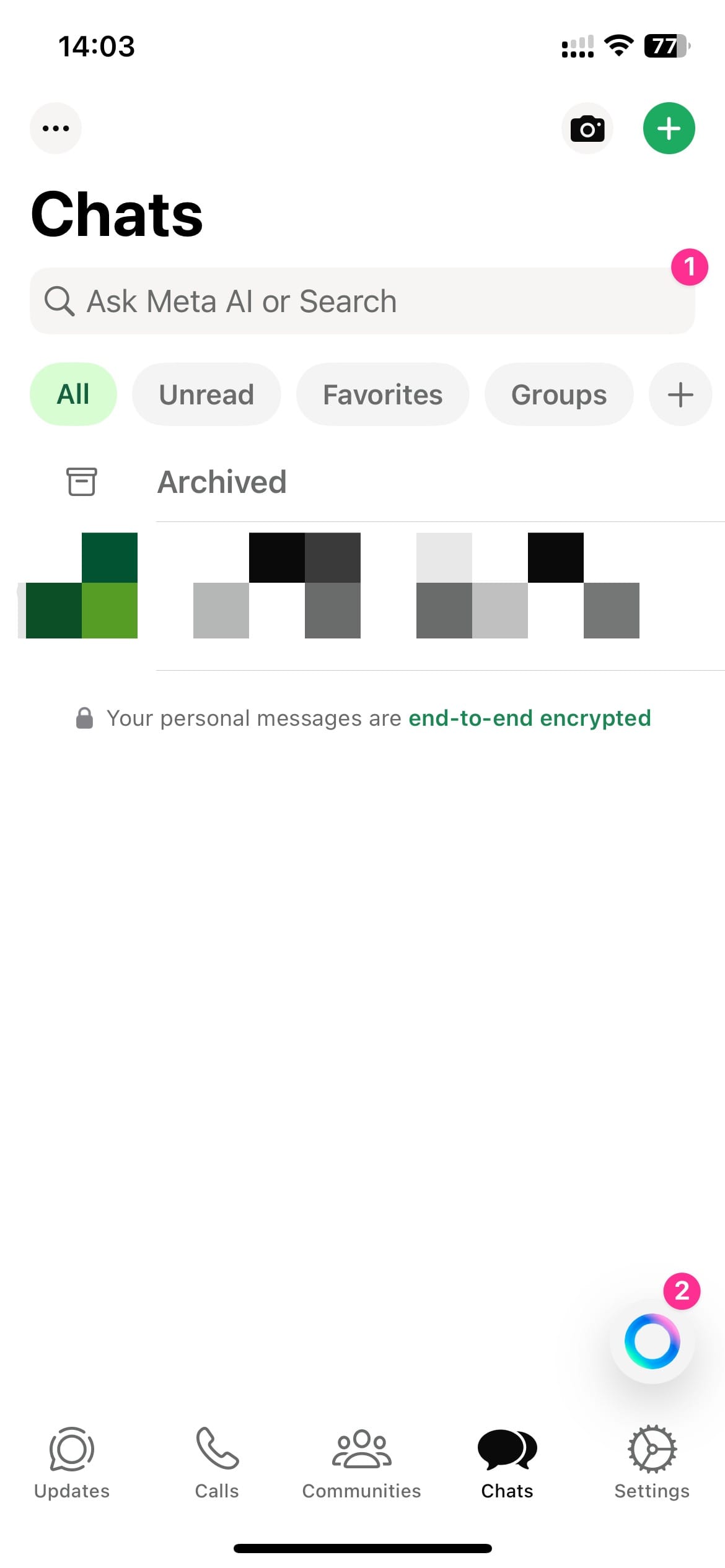
WhatsApp on iPhone. Two items are highlighted with annotations: the search bar and the floating action button.
With the latest update, Meta added Meta AI to WhatsApp and decided to make it really hard to ignore. I don’t know why “these companies” keep shoving AI down our throats, but I do know this placement is objectively bad design. To make my point, I would like to reference the Apple Human Interface Guidelines, however despite the FAB (floating action button) being used on iOS and even by Apple itself, there seems to be no documentation in the Apple HIG about it. However, Google documented the FAB with Material Design, and since a FAB is a FAB no matter the OS, here is how they said a FAB should be used:
Use a FAB for the most important action on a screen. The FAB appears in front of all other content on screen, and is recognizable for its rounded shape and icon in the center.
Only use a FAB for presenting a screen's primary action.
Source: Floating action buttons > Usage
It follows then that WhatsApp is now primarily an AI chat app, seeing as they put Meta AI in the FAB, which is the primary action. That would also explain why the search-input now doubles up as an AI query input.
No matter where you turn, companies are trying to make fetch happen with AI while AI remains unreliable and expensive. Case in point, I asked Meta AI how to disable Meta AI and it made shit up—just like all the other AIs.
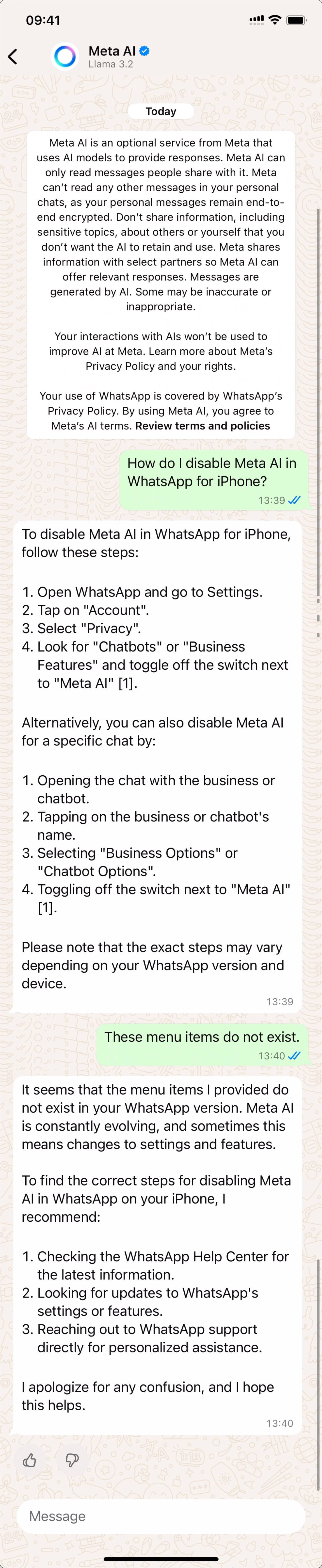
A conversation between me and Meta AI. I ask it how to turn it off, it tells me to navigate menu items that do not exist. When I tell it that they do not exist, it says to read WhatsApps help pages.